How to Create an OpenSea Account to Receive or Purchase Elias Carter NFTs
Welcome to the Elias Carter NFT Collection — where storytelling meets awareness. To receive or purchase one of these limited edition NFTs, you’ll need a free account on OpenSea. Here’s how to set it up:
Step-by-Step Guide
1. Create a Crypto Wallet
To use OpenSea, you first need a digital wallet to store and manage your NFTs and tokens.
Recommended wallets:
- MetaMask – https://metamask.io
Supported by all OpenSea features. - Crypto.com DeFi Wallet – https://crypto.com/defi-wallet
Perfect for mobile users and those already using Crypto.com.
For the Elias Carter collection, we recommend wallets that support the Base or Ethereum network.
2. Connect Your Wallet to OpenSea
- Visit https://opensea.elias-carter.com
- Click “Connect Wallet” (top-right)
- Choose your wallet (e.g. MetaMask or WalletConnect for Crypto.com)
- Approve the connection.
- Give an Like to your Favorit NFT
3. Import ECT & WECT Tokens to Your Wallet
To receive bonus rewards, participate in staking, or get whitelist benefits, you’ll want to add both tokens:
- Elias Carter Token $ECT – Contract address: 0xfe4e97dd693823e5bc1e9401b1af790bcaa382db
- Wrapped Elias Carter Token $WECT – [Insert WECT contract address: 0x9b09172AcD8b4618674e54a36afb45baF44D4277
$ECT and $WECT is connected to Cronoschain💡
In MetaMask:
- Open your wallet
- Scroll down and click “Import Tokens”
- Paste the contract address
- Confirm the token symbol and click “Add Custom Token”
4. Set Up Your OpenSea Profile
Add a username, email, or profile picture to personalize your experience. You can share your Favorit NFT with you connected X profile.
5. You’re Ready!
You can now:
- Receive NFTs
- Purchase and trade Elias Carter Raw Sketch Editions
- Access bonus content & future perks
Why OpenSea? 💡Floor price: $5.00
OpenSea gives you full control over your NFT collection and connects you to the broader Elias Carter ecosystem, including rewards, limited editions, and storytelling drops.

001 | Heavy Days

002 | The Hyperfocus Zone

003 | Lost in Thought

004 | A Breath of Relief

005 | The Wall

006 | Too Much

007 | The Spark
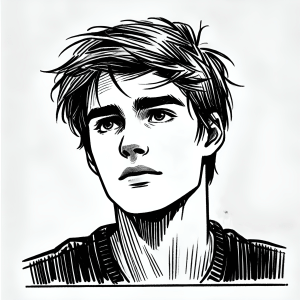
008 | The Weight of a Choice
 Elias Carter